


How do you feel about this result?
Share this link via
Or copy link
Bet The Flip (β)
Your points10
Win streak 2
Bonus ×2
Which one will you bet on?
How much would you like to bet?
You're betting 3 points on Heads.
Place your bet, then flip the coin!
Result
Your points10


Flip History
This data is stored locally in your browser. Clearing your browser’s site data will delete it. By clicking the coin, you can choose its type and set the number of flips.
Custom Labels & Images
Customize the Heads and Tails labels and coin images for this coin. Changes are saved on this device only.
PNG / JPG / WebP / GIF (animated GIF supported). Up to 5 MB. Static images are auto-resized to 256×256.
Details of the result
"H" represents "YES", and "T" represents "NO".
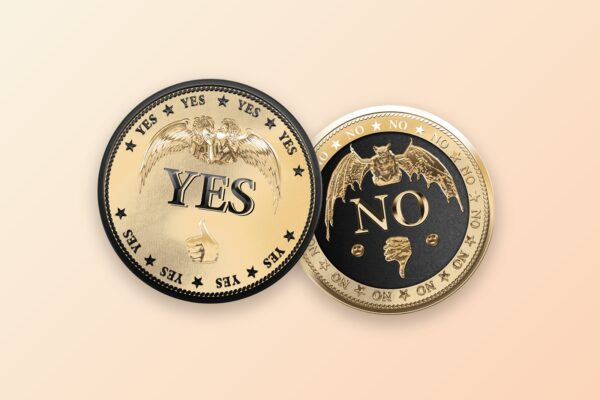
Flip a coin for a yes or no answer. Heads means Yes and Tails means No — tap the coin or press Space, and a fair 50/50 flip answers your question in about a second.
Have a specific question? Click the question above the coin, type your own — “Should I text them?”, say — and flip. After the flip, the link in the address bar carries your question and the result, so you can send it to a friend. Too close to call on one flip? Flip three times and go with the majority.
Tap a question to open it on the coin, then flip. You can edit the wording on the next screen.


Heads or Tails
98.91M actions, 194.61M flips


Yes or No
17.12M actions, 26.66M flips


Coffee or Tea
388 actions, 458.49K flips


Go or Stay
4.24K actions, 3.23M flips


Up or Down
10.89K actions, 621.88K flips


More or Less
387 actions, 390.33K flips


Start or Stop
198 actions, 246.27K flips


Watching or Reading
373 actions, 264.56K flips


Outdoor or Indoor
312 actions, 735.66K flips


Shopping or Saving
306 actions, 432.83K flips


Wake Up or Sleep In
605 actions, 478.54K flips


Exercise or Relax
495 actions, 746.51K flips


Play or Work
1.16K actions, 1.15M flips


Procrastinate or Do It Now
1.74K actions, 459.73K flips


Analog or Digital
183 actions, 357.77K flips


Spontaneity or Planning
167 actions, 448.3K flips


Light or Darkness
14K actions, 1.13M flips


Study or Party
302 actions, 913.95K flips


Fast or Slow
509 actions, 187.7K flips


Fish or Chicken
1.21K actions, 739.57K flips


Hot or Cold
460 actions, 226.97K flips
 Want to flip more?
Choose 1 to 100,000 flips. Type a number and tap GO, or pick a preset below.👍
532K actions, 532K flips
3.41K actions, 7.8K flips
6.59K actions, 25.83K flips
1.9K actions, 8.74K flips
15.79K actions, 111.55K flips
✕10
12.47K actions, 150.27K flips
✕50
657 actions, 32.85K flips
✕100
11.55K actions, 1.34M flips
✕500
312 actions, 156K flips
✕1000
19.75K actions, 19.75M flips
✕10000
12.75K actions, 127.46M flips
✕20000
32 actions, 640K flips
✕30000
5 actions, 150K flips
✕40000
11 actions, 440K flips
✕50000
29 actions, 1.45M flips
✕60000
7 actions, 420K flips
✕70000
31 actions, 2.17M flips
✕80000
17 actions, 1.36M flips
✕90000
13 actions, 1.17M flips
✕100000
890 actions, 89M flips
Fiat CoinsYou can choose from legal tender coins. Press 'View more coins' to select from all available coins.🪙 See all fiat coins by country & region →


Penny
(1 cent)5.01K actions, 1.25M flips


Nickel
(5 cents)1K actions, 651.52K flips


Dime
(10 cents)1.05K actions, 1.08M flips


Quarter
(25 cents)6.61K actions, 1.63M flips


Half Dollar
(50 cents)1.77K actions, 719.46K flips


Sacagawea Dollar
($1)1.96K actions, 1.19M flips


Presidential Dollar
($1)3.35K actions, 1.6M flips

View more coins
Decision-Making Coins(Flip a Coin.com Original Coins)When you're torn between two choices, let a decision coin decide for you! The coins are arranged by most-flipped order.
Heads or Tails
98.91M actions, 194.61M flips
Yes or No
17.12M actions, 26.66M flips
Light or Darkness
14K actions, 1.13M flips
Up or Down
10.89K actions, 621.88K flips
Go or Stay
4.24K actions, 3.23M flips
Procrastinate or Do It Now
1.74K actions, 459.73K flips
Fish or Chicken
1.21K actions, 739.57K flips
Play or Work
1.16K actions, 1.15M flips
Wake Up or Sleep In
605 actions, 478.54K flips
Fast or Slow
509 actions, 187.7K flips
Exercise or Relax
495 actions, 746.51K flips
Hot or Cold
460 actions, 226.97K flips
Coffee or Tea
388 actions, 458.49K flips
More or Less
387 actions, 390.33K flips
Watching or Reading
373 actions, 264.56K flips
Outdoor or Indoor
312 actions, 735.66K flips
Shopping or Saving
306 actions, 432.83K flips
Study or Party
302 actions, 913.95K flips
Start or Stop
198 actions, 246.27K flips
Analog or Digital
183 actions, 357.77K flips
Spontaneity or Planning
167 actions, 448.3K flips
Crypto CoinsThese coins represent popular cryptocurrencies. Each has a unique design exclusive to our site for a distinctive flipping experience.
Background Images or VideosChoose a background image or video for your coin toss. Match it to your mood for the day!
Dayflow
Mood cycle enabled431.81K actions, 431.81K flips
Fresh Light
NEW431.81K actions, 431.81K flips
Calm Daylight
NEW431.81K actions, 431.81K flips
Golden Hour
NEW431.81K actions, 431.81K flips
Neon Chill
NEW431.81K actions, 431.81K flips
Midnight Aurora
2.29K actions, 5.06M flips

Bar
3.27K actions, 1.37M flips

Café
121.04M actions, 122.24M flips

Forest
2.73K actions, 2.41M flips

Casino
6.96M actions, 7.85M flips

Ocean Sky
2.87K actions, 2.99M flips

Blue Sky
1.88K actions, 1.82M flips

Bubbles
627 actions, 873.96K flips

Spheres
601 actions, 1.37M flips

Snow
1.91K actions, 1.27M flips

Starry Night
4.38K actions, 1.74M flips

Serenity
19.81K actions, 7.66M flips

Earthshine
4.72K actions, 8.18M flips

Black
7.3K actions, 3.05M flips

White
905 actions, 760.8K flips
How to play Flip a Coin.comJust tap the coin to start flipping! Below, you'll find detailed instructions for all the flip area functions.🙂
 Top right corner in the flipping area
| Default value | Description |
|---|---|
 Flip a coin |
You can select how many times the coin will be flipped in one go. |
| Heads or Tails |
Select a CoinYou can select the coin you wish to flip. There are three categories: Fiat Coins, Decision-Making Coins, and Crypto Coins. |
| Dayflow |
Select BackgroundYou can personalize the background image to match your mood! Select from a range of images to change the scenery. |
 Bottom right corner in the flipping area
| Default value | Description |
|---|---|
 |
Flip Sound ON/OFFYou can turn the flipping sound on or off. |
 |
Select Background MusicYou can select the background music. Please be mindful of your device's volume settings! |
 |
Full Screen ON/OFFUse this button to toggle full-screen mode on and off for an immersive experience. |
 Bottom left corner in the flipping area
You can review the history of your flips here. The last 20 flips are stored locally in your browser.
Tools & ResourcesType two names or options and flip a fair coin between them.

Odds of k heads in n flips, streak chances, and the formula behind them.

Yes or No, Coffee or Tea, and 20+ ready-made decision coins.

The heads/tails split across every flip counted here, updated daily.

Law of large numbers, bell curves and streaks — interactive lessons.
Put a working coin flip on your site with one line of HTML.

Free JSON API for verifiably fair coin flips in your own app.

Let ChatGPT or Claude flip a real, verifiable coin on this site.
A yes or no question is one you can answer with a single word. That makes it the easiest kind of question to ask and the fastest way to get a conversation, a car ride, or a classroom warm-up moving.…

A coin toss before a penalty shootout doesn't look like much. The referee tosses, a captain calls, the toss-winning side picks "first" or "second" — and play resumes. But hidden inside that small decision may be one of the largest…

Imagine a friend hands you a coin and challenges you to twenty flips. The result: 17 heads, 3 tails. You stare at the coin. You stare at your friend. Is the coin loaded? Are they cheating? Or were you just…

Suppose someone offers you the following "system" for beating a fair coin flip. Bet one dollar on heads. If you win, you're up a dollar — pocket it and start again. If you lose, double your bet to two dollars.…
Share this page
 Share
How do you feel about this result?
Share this link via





Or copy link